01USABILITY
Make actions unmistakable
Give staff a focused mobile interface with recognizable visual feedback rather than a complicated control dashboard.
UX / ROLE DESIGN
Código Azul is an Android-based alert prototype developed for a Centro de Atención Múltiple (CAM), a specialized school serving students with substantial support needs, including some autistic students and students with ADHD. It coordinates authorized staff alerts through cloud services while considering how audible notifications might affect a sensory-sensitive environment.
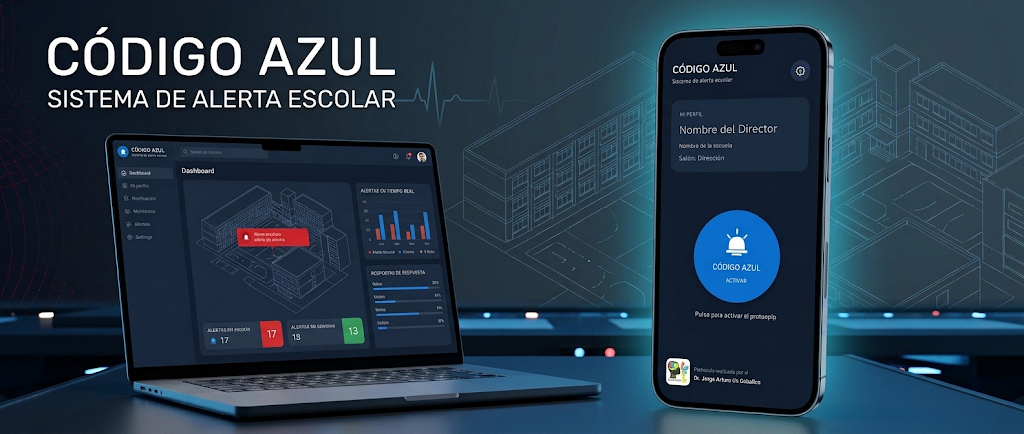
An emergency protocol in a specialized educational environment brings two responsibilities together: notify staff promptly and avoid introducing unnecessary sensory stress for students who may be experiencing distress or a crisis.
Give staff a focused mobile interface with recognizable visual feedback rather than a complicated control dashboard.
Combine native Android notification behavior with cloud messaging and careful device-token management.
Reject overlapping simulation requests so a repeated action does not generate avoidable bursts of alert audio.
In a CAM, some students can be especially sensitive to sudden or intense sounds. A notification that helps adults respond should be designed with its potential effect on students in mind.
Rather than defaulting to a piercing siren, the project explored a recognizable, chime-like alert with softer harmonic tones and controlled repetition. The aim was to make the signal identifiable to staff without adding an unnecessarily harsh auditory stimulus during a sensitive moment.
Sound preferences and sensory responses vary across individuals. These choices are design considerations, not evidence of clinical suitability or a guarantee that no student will be distressed.
Choose a distinctive tonal pattern and avoid unnecessarily sharp, startling or continuously repeated signals.
Pair the alert with a clear visual state so staff are not relying exclusively on audio to understand what happened.
Review volume, duration, accessibility and individual responses with the educational team in controlled, approved conditions.
This is a public description of the design rationale, not a disclosure of the institution's procedures, students' circumstances, trigger conditions or operational escalation rules.
The public diagram shows component responsibilities only. It deliberately omits private infrastructure details, endpoint addresses, database paths and access policies.
Kotlin · Jetpack Compose · authenticated, role-aware interface
Authentication · Firestore
Workers · D1
Messaging to registered Android devices
Simplified technology overview · Not a complete production security diagram
A high-level description of staff notification. The alert design also considers the potential impact of audible signals in a sensory-sensitive school setting; specific response procedures remain private.
An authorized staff member accesses the Android application.
An alert or simulation request passes through cloud coordination.
FCM sends the event to registered recipients.
The Android client displays the alert and plays its configured sound.
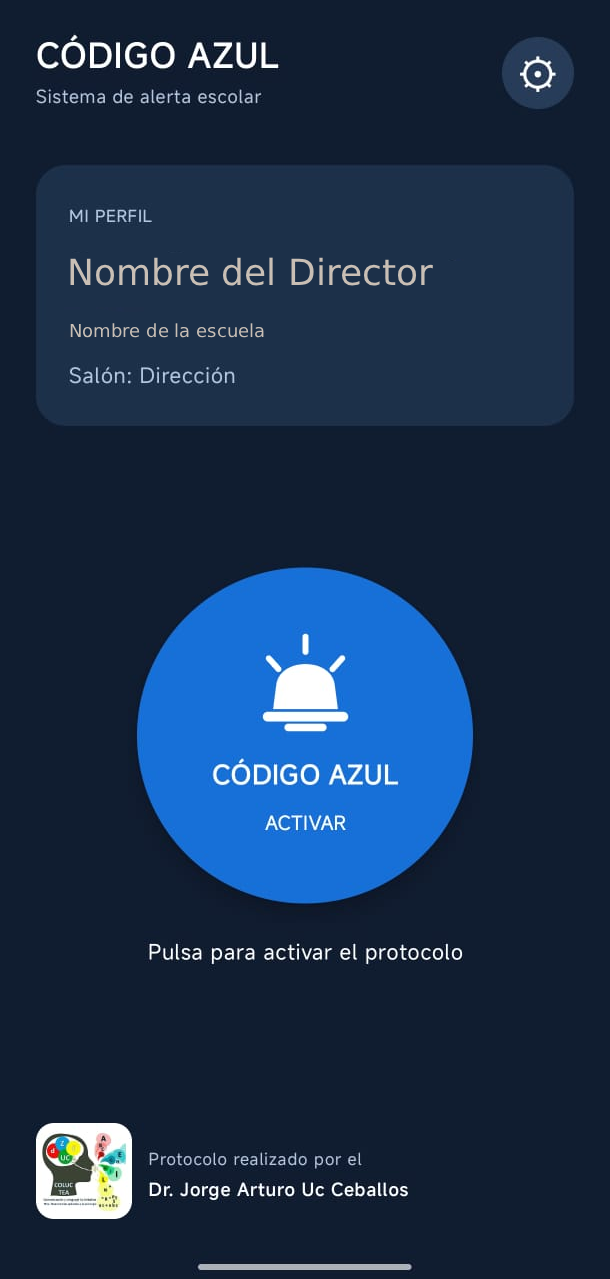
The mobile experience favors readable states, predictable controls and a distinct, carefully considered audible alert for the CAM context.
The application presents different views according to assigned roles. A prominent central action and concise state information reduce unnecessary interaction.
This is a screenshot of the actual project, not an interactive emulator or a live alert.
Before publication, confirm the screenshot does not reveal the CAM’s name, location, student or staff identities, internal alerts, or device identifiers.
From Android UI and notifications to serverless coordination, the project required several components to work as one system.
UI development with Kotlin and Jetpack Compose, prioritizing a streamlined staff workflow.
Firebase-based sign-in with role and membership information used in application access flows.
Device registration and token cleanup associated with the user's application session.
A recognizable chime-like signal and dedicated Android notification behavior were explored with attention to sensory sensitivity, rather than relying on an aggressive siren. Sound behavior was checked on selected devices.
Cloudflare Workers and D1 manage coordination and certain notification operations.
A request-reservation mechanism rejects overlapping simulation attempts to avoid repetitive dispatch.
These observations support functional integration, but not production-scale reliability or guaranteed emergency notification delivery.
A custom alert sound played in development testing.
A cloud-triggered test reached two registered devices, and both sounded the alert.
Duplicate simulation attempts were blocked during testing.
Alarm behavior was checked on a selected Android device, including Do Not Disturb configuration.
The project connected mobile engineering and cloud infrastructure with a central lesson: software for an educational environment must respond to the needs of the people affected by it, not only the staff operating it.
A working feature is only one part of a dependable experience. Building an alert-oriented application taught me to think simultaneously about usability, infrastructure, failure conditions and responsible validation.
Building native notifications required understanding notification channels, audio behavior, device permissions and manufacturer-specific restrictions—not only UI screens.
Separating identity, device metadata, request coordination and push delivery helped me reason about responsibilities and troubleshoot the end-to-end flow.
Working on an alert for a CAM taught me to think beyond screen accessibility: an alarm can help staff while also affecting students with sensory sensitivities. I learned to balance recognition, repetition, visual clarity and user needs without assuming one sound suits everyone.
Testing on two devices was valuable for proving integration, but it also clarified the need for broader device coverage, negative-case testing, security review and realistic deployment assessment.
Código Azul taught me that a technically successful notification is only part of the result. The experience also matters: how staff recognize the message, how students may experience the sound, and how the system communicates uncertainty and operational limitations.
This public case study explains why the system was built for a CAM and how sensory considerations influenced design, while keeping the school, students, procedures and deployed infrastructure unidentifiable.
The general CAM context, accessibility and sound-design rationale, technology stack, conceptual architecture, sanitized UI screenshots and limited, non-identifying test observations.
The school’s identity and location, student or staff information, crisis scenarios and triggers, internal response protocols, live URLs, credentials, authorization rules, push tokens and private operational records.
A sanitized technical walkthrough may be discussed upon request. The production-related source code and live environment are not publicly linked.